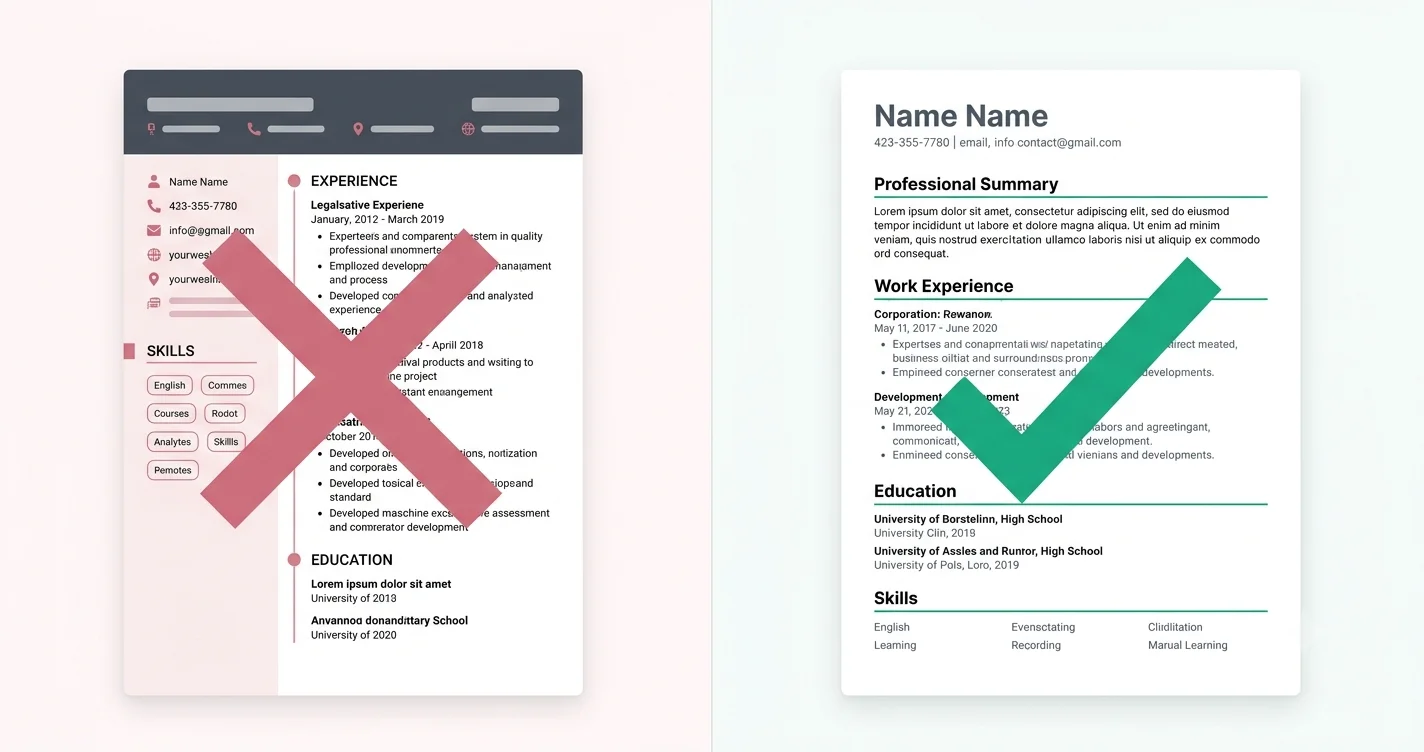
An ATS does not judge your design. It converts your file to plain text and looks for structure. Anything that survives that conversion is fine; anything that doesn't is invisible, no matter how good it looked in Word.
What reliably survives
- Standard section headings — Experience, Education, Skills, Projects, Certifications
- Single-column body text in a normal font at 10–12pt
- Simple bullets (• or -) at the start of a line
- Dates in one format — 'Mar 2021 – Present' throughout
- Real text links — typing out linkedin.com/in/yourname beats a hyperlinked word
What breaks, and how badly
These are ordered by how much damage they do. The first two are the reason most well-designed resumes score badly.
- Contact details in the header/footer — several parsers ignore that region entirely, so your phone number vanishes
- Text boxes and shapes — content inside them is often skipped completely
- Two-column layouts — text is read left-to-right across both columns, interleaving your skills into your job history
- Tables — cells get flattened in an unpredictable order
- Icons instead of labels — a phone glyph is not the word 'Phone'; the value next to it loses its meaning
- Images of text — a resume exported as an image scores zero on everything
The two-column question, answered honestly
Two-column resumes are not universally broken. Modern parsers handle a clean sidebar reasonably well when the columns are real layout containers and the reading order is set correctly. Older systems, and PDFs exported from design tools, frequently mangle them.
The practical rule: if you are applying to large Indian IT services companies or through a portal you don't recognise, send one column. Keep the two-column version for direct emails to startups and for your portfolio.
Test it in ten seconds
Open your PDF, select all, copy, and paste into a plain text editor. What you see is roughly what the ATS sees. If your phone number is missing, your skills are tangled into your job history, or the order is scrambled, fix the layout — not the wording.
Common questions
Are Canva resumes ATS-friendly?
Canva's PDF export usually preserves text, so it parses better than people fear — but its popular templates use text boxes and two columns, which is where the damage happens. Run the copy-paste test before sending one.
Put this into practice
Build, score and tailor your resume with JotCV — free plan, no card needed.
Browse ATS-tested templates